Showing posts with label Blackberry Multymedia. Show all posts

Photo Cartoon v1.0.3

Posted by Zberry on 28 Apr 2013

[Image: photocartoon.png]

Take your existing photos and breathe new life into them by converting them into a cartoony image.
BlackBerry OS 5.0 or above
Features:
- Make your pictures look like cartoon images.
- Choose from 6 different filters: cartoon effect (low, medium, high), soft cartoon, retro cartoon, worn out cartoon.
- Use existing photos taken with your camera.
- Optimized for speed and memory efficiency.
- Does not modify your original picture (creates a copy of it).
- Option to add a white frame around your cartoon image.
- Preview your cartoon images first then decide whether to keep or discard it.
- Set output picture file format as PNG or JPEG.

Download: http://www.appkita.com/v1/media/photocartoon/
More about → Photo Cartoon v1.0.3

T-Virus Is Ready! a COOL battery charging screensaver v1.4

Posted by Zberry on 8 Jan 2013

Your battery is a T-Virus container; every time you charging the battery, it’s something like synthesizing the T-Virus...

Most of the elements in this battery charging screensaver are animated: the progress of synthesis virus (charging), the operation temperature and voltage (of the battery), the umbrella logo, the numbers which indicate current time, ALL have cool animated effects.

Exciting Features:
* Make a unique app for yourself:
You can custom your own prompt text when charging or charge done. Use your local language, use emoticons like ':-)', use special characters like ☆, you name it!

* Show battery level and icon in indicator bar of homescreen.
So you can get the battery state by a glance, no worries whenever surfing in the net or doing other things.
Have installed another battery indicator app? Of course, you can disable this feature in Options.

* Play sounds to prompt you that the battery gets full.
Cool Sound clips, you can choose one of it.
Set Volume of sounds, so that you will not get scared Smile

* Detailed battery status report
Temperature, voltage, level, etc.

* Show Date at bottom of screen.
Left or right? make a choice.
You can disable this feature if you like a brief charging screen.

* Optionally set backlight always ON or Auto Off.
Think it is cool and want to stare @ it more time? Just turn the backlight alway on.
Tip: for environment-protecting reason, above action is not suggested.

* Show the cool charging screen even not in charging, if you like.
Show the app to your freind, Amazing, isn't it?


Usage:
* It will run automatically whenever you connect your phone to the charger. It's simple to use, just Plug & Play!

Tips:
* To phones belongs to Torch or Storm Series, it’s better to use a charging pod to view the Cool effects.
* To get better experiences, please disable the clock screen when charging.
How-to: Home Screen - open the Clock - Options - When Charging, set to "Do nothing".

Note:
* If you already have this app, upgrade it will cause REBOOT, please save your SMS, Email draft first.
* Update to ver1.4 will reset your settings to default, please take one minute and set it again, thank you.

DOWNLOAD APPWORLD
DOWNLOAD APPKITA

More about → T-Virus Is Ready! a COOL battery charging screensaver v1.4

Photo Polaroid Editor Pro v1.2.7

Posted by Zberry

Application "Photo Polaroid Editor Pro" allows you to edit your favourite Photo Frame style and Set Wallpaper, Save Image File and Send to your Friend.
"Photo Polaroid Editor Pro" is Photo Editor style polaroid camera film Ultimate Pack!!!

Item :
- 51 photo polaroid frame style
- 50 word object movable
- 53 input text color
- system font family
- 3 font style
- 7 font size
- 2 image filter (version 1.2.0)
- 8 color overlay (version 1.2.0)

Featuers :
- Select your favourite photo frame style
- Select your photo image from "Device" or "Camera"
- Add Text on your photo frame and support one line only
- Select your favourite more font family
- Select your favourite more font size
- Select your favourite more font style
- Select your favourite more color font style
- Select your favourite more object style
- OS5, OS6, OS7 compatible
- BBM Platform supported

How to Use Program :
- When open application first, it's will ask to set request permission for activate this application once
- Then application will configure connection BBM with BlackBerry ID Account for BBM Feature (Invite Download and Send File To Friend)
- In Configure Screen you can click menu item (Preview, Invite Download)
- Preview : Will display result edit photo frame image
- Invite Download : Will send request to your friends for download "Photo Polaroid Editor Pro" Application
- When you edit your favourite photo, text, frame and more, Then you can click menu "Preview" for display your image
- In Display Screen you can click menu item (Set Wallpaper, Save File, Send to Friend)
- Set Wallpaper : Will set your result image to wallpaper mobile device
- Save File : Will save your result image to mobile device
- Send to Friend : Will send your image file to your friends
- You can select and set object style 'On', 'Off' and move it everywhere you want

DOWNLOAD APPWORLD
DOWNLOAD OFFLINE
More about → Photo Polaroid Editor Pro v1.2.7

Instigram for BlackBerry

Posted by Zberry on 23 Aug 2012

You took a great picture with your BlackBerry®, or read an interesting article on net, and now you want to share them with your friends on Facebook and Twitter…then Instigram from JaredCo is a must have app….one touch sharing to Twitter & Facebook!

• Take a picture with your BlackBerry® and share it instantly to Facebook…Instigram is in your menu list for simple one touch access;

• Like all JaredCo applications, Instigram is a breeze to configure, and simple to deploy. You will need your email address for mobile photo uploads from Facebook…but don’t sweat it…Instigram shows you how to get that email address right in the app.

Get Instigram now for FREE and start sharing photos from your BlackBerry® to Twitter & Facebook with one touch.


DOWNLOAD
More about → Instigram for BlackBerry

Burst Camera Pro v.1.5 [BBM Connected]

Posted by Zberry on 22 Aug 2012

Burst Camera App for BlackBerry®!!!

Burst Camera Shots enables you to take burst or continous shots immediately one after another similar to some modern cameras. You can take up to 20 shots per second with this high-speed camera application.It has a built-in viewer that let you easily manage pictures. You can easily share pictures using BBM, Facebook, Twitter, and Email.

Enjoy the real power of your camera.

Features:
*Take upto 20 pictures in a single shot
*Vibrate on each take
*Support from OS5 to OS7.1

DOWNLOAD
More about → Burst Camera Pro v.1.5 [BBM Connected]

InstaPhoto v1.0.104 (Full) Instagram for BlackBerry

Posted by Zberry

InstaPhoto for BlackBerry is the best Instagram photo like experience on a BlackBerry. It allows you to choose from a library of 25 preset photo effects, including tilt shift, custom borders, color effects, grunge textures and decorative frames just like Instagram. It's a simple and easy way to create amazing photo effects to share with all your friends via Twitter, Facebook or Tumblr!

Alongside the standard photo effects, InstaPhoto also features unique photo effects such as a retro-styled poster with radiant rays fanning out to enhance your image, look at the world through a HUD of an aircraft, through the lens of an SLR camera, or create mugshots of you, your friends, and pets! It's easy to get started, and with so many options to choose from, there's something for every occasion.

InstaPhoto also simulates the photo effect of tilt shift, a process often used to simulate miniature scenes. Choose from a radial or linear distortion, pinch and adjust a simple slider, then tap and let us do the rest! InstaPhoto automatically adds vibrant saturation to intensify the colors to create unique whimsical scenes.

Features:

  • Easy to get started, simply choose a preexisting photo or snap one right away. Camera integration runs directly within app, allowing you to take a photo and start instantly!
  • Images save to a custom gallery folder, and are featured when you load the app, or you can opt to view the latest uploads on Twitter from your friends!
  • Large preview images allow you to see an effect clearly before making a selection.
  • Simple controls with stunning pre-set effects, it's easy for anyone to use with just a tap of the finger!
  • Quick rending, no long loading times for an effect.
  • Unique effects creating interesting themes for your photos; periscope, mugshots, HUDs and many more!


Effect Features:
  • Tilt Shift
  • 1962 - Simulate the photo effect of an old, black and white film strip.
  • Aquarius - Cool green-blue with just a small dash of orange.
  • Aries - Reds and orange converge for a warm photo effect.
  • Black & White
  • Bohemian - Release your inner flower-child with a decorative border and warm colors.
  • Burnout - Brightens the center of your image with burnt edges.
  • Cool Breeze - Light and breezy with cyan tones.
  • Dusk - Dulls your images colors and adds a touch of grit.
  • Gothic - Subtle orange and purple splash your image with a night feeling.
  • HUD - See your image through a heads-up-display in the sky.
  • Midnight - Intensifies a splash of orange with dark, burnt purple edges.
  • Mug Shot - Frame yourself, your friends, or your pets!
  • Noir - Intense blacks in a black and white image.
  • Number 6 - A playful combination of turquoise and orange with subtle texture.
  • Periscope - Creates the photo effect of peering up through a periscope in the night.
  • Polaroid - Create the look of a polaroid with a slight purple tone.
  • Ravage - Rough your images up with this photo effect.
  • Retro Poster - Grunge edges and rays radiate from your featured image.
  • Sepia
  • SLR - View your image as though in the view finder of a SLR camera.
  • Spotlight - Burns a corner of your image with bright light.
  • Sunset Swirl - Bath your image in warm color, and adorned with a swirling border.
  • Taped - Tape up those corners and show off that image!
  • Torn - Torn and folded, with its colors fading away like an old poster.
  • Vintage Postcard - Snap a shot on holiday and send off your own vintage postcard! Post is included!


Required :
OS5 or higher

 DOWNLOAD
OTA OS5
OTA OS6
OTA OS7+

OFFLINE OS5
OFFLINE OS6
OFFLINE OS7+
More about → InstaPhoto v1.0.104 (Full) Instagram for BlackBerry

Photo Editor Extreme v3.0.0 FULL PRO OS6-OS7 (BBM Connected)

Posted by Zberry on 20 Aug 2012

If you loved using instagram on other platforms, you'll simply be blown over with Photo Editor.
Now power packed with dozens of filters and features.
Its your photoshop for mobile phones!

Features Include:
- Crop Photos
- Rotate Photos
- Adjust Brightness
- Adjust Contrast
- Re-size to reduce the image size
- Change color to black and white, Pop, Negative and Sepia.
- Fully Recolor the photo in RGB mode.
- Paint to draw lines and shapes of different colors with various effects
- Doodle to add frames, text and brush your photos in different colors
- Save and send edited photo as an email
- Upload photos to Facebook
- Adjust Sharpness
- Blur Effects
- Many New Filters
- BBM Connected


DOWNLOAD
OTA OS 6


OTA OS 7


OFFLINE

More about → Photo Editor Extreme v3.0.0 FULL PRO OS6-OS7 (BBM Connected)

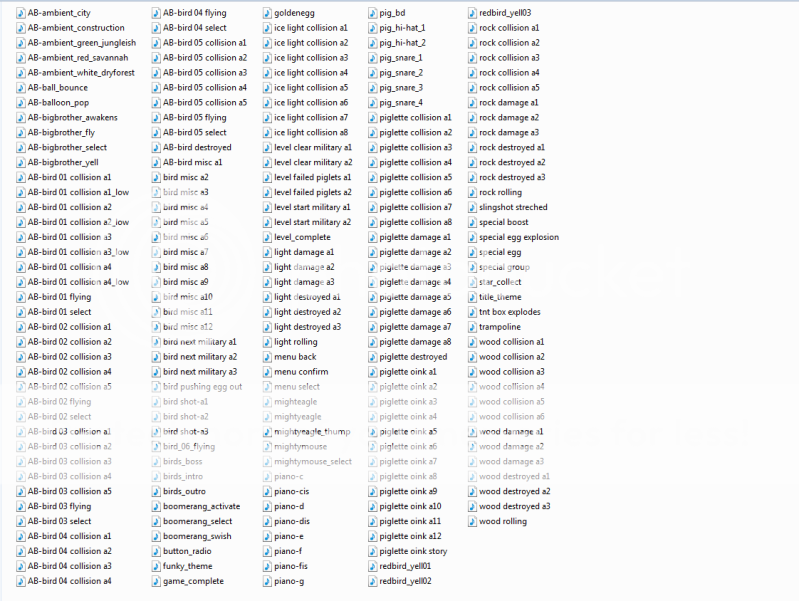
FULL Ringtones Angry Birds

Posted by Zberry on 19 Aug 2012

FULL Ringtones Angry Birds for Blackberry.

DOWNLOAD
More about → FULL Ringtones Angry Birds

Sci-Fi - iphone Ringtones

Posted by Zberry

Sci-Fi - iphone Ringtones for Blackberry.


DOWNLOAD 

More about → Sci-Fi - iphone Ringtones

ANGRY BIRDS SPACE BOSS ringtones

Posted by Zberry


 ANGRY BIRDS SPACE BOSS ringtones  for Blackberry.

DOWNLOAD
More about → ANGRY BIRDS SPACE BOSS ringtones

Dual Camera V1.1

Posted by Zberry


Dual Camera app is a combination of digital still camera and digital video camera.
This amazing Dual Camera can capture still images while shooting videos. Dual camera can shoot both high-quality video and still images.

Features:
* Captures Images while shooting videos
* Easy to use Interface
* Works in three modes:
* Videos and Images can be stored to SD Card or Phone Memory

How to Use:
This amazing Dual Camera can capture still images while shooting videos. The Dual Camera works in three modes: Dual Mode, Camera Mode, Video Mode.
* Dual Mode:
When set to Dual Mode, the app captures still images while shooting videos.
* Camera Mode:
When set to Camera Mode, the app captures only still images which can be viewed from the app as well as from Media.
* Video Mode:
When set to Video Mode, the app shoots only videos which can be viewed from the app as well as from Media.

DOWNLOAD OFFLINE
More about → Dual Camera V1.1

Baamboo Player Premium v2.3 (BBM Connected)

Posted by Zberry

Have basic playback functions as the default media player, playing music library in your device storage.

Provide some extra features:
- Support browsing music by folders.
- Auto search and cache missing album cover art for you collection.
- Synchronize the lyrics while player is playing, auto search for missing lyrics for English, Korean (Romanization), Indonesian songs.
- Save cover art to your mp3 file so that other players can show it.
- Allow modifying metadata (ID3 tag) in mp3 files (title, album, artist, ...)
- BBM™ function: post playing song title to BBM™ profile status.

Highlighted Feature:
- Change playback time by select a line in the synchronized lyrics, support both trackpad and touch navigation.
- Repeater on lyrics: allow to play a focus part of a song (chorus part for example) repeatedly by select a start line and end line in the synced lyrics.
- Browse for youtube videos relating to playing song.

- BBM Connected -

Required :
OS5 or higher

*Support OS7+


DOWNLOAD
ota
offline
More about → Baamboo Player Premium v2.3 (BBM Connected)

Shazam Encore v2.8.1 - Compliments of BlackBerry

Posted by Zberry on 12 Jun 2012

Take the ultimate music journey with our premium app - Encore.

• Identify what song is playing (unlimited Tags*)
• Buy the track
• Share Tags by text, email, Twitter or Facebook
• Read track and album reviews
• See what’s hot with Shazam’s Tag Chart
• Watch YouTube videos
• Search music by artist, track and lyrics
• View lyrics**
• Discover new music using Recommendations

Unlimited Tags and Recommendations are exclusive to Encore.

Aplikasi Pencari judul lagu dengan tags Unlimeted.

Shazam Encore v2.8.1 - Compliments of BlackBerry

Required :
OS 5 or higher

*Support OS 7 + OS 7.1

DOWNLOAD
APPWORLD
OTA OS 5
OTA OS 6
OTA OS 7
OTA OS 7.1
OFFLINE4-7.1

More about → Shazam Encore v2.8.1 - Compliments of BlackBerry

Photo Distortions – Distort your Images

Posted by Zberry on 11 May 2012

Photo Distortion allows you to make distorted and funny images! You can apply multiple effects, for example, you can make the nose of a person on a photo bigger.

Have a look at the screenshots to see what kind of distortions you can apply!

FEATURES:

- Easy user interface
- Load image from SD card or from camera
- Apply distortion to image by selecting the area of the image to distort
- Apply multiple effects to single image
- Effects:
Bulge
Twirl
Diffuse
Ripple
Swim
Displace
Marble
Pinch
Water effect
Blur
Pixelate
Shear
Tint
Jitter
Offset
Tile
Emboss
Flip
Invert
Polar

- Share Distorted Image over Facebook, BBM OR Email your Friends and family members!
- Saves image to a sdcard

Required Device Software
BlackBerry: 5.0.0 or higher

DOWNLOAD OTA
More about → Photo Distortions – Distort your Images

Silent Foto v1.0.6

Posted by Zberry on 4 May 2012

Tired of hearing the shutter sound effect each time you take a picture? Silent Foto allows you to take a picture the way it should be, with no annoying sound. Easily take a silent photo from within the application by pressing on the main button, this app is very easy to use.

Features:
✔ Take photos silently
✔ No shutter sound
✔ Media card support
✔ One-click photo taking
✔ Intuitive UI design

After the image has been taken, it is saved in the ‘Camera’ directory on your media card (if it is available) or on your device’s internal storage. The dimensions of the image saved with this app depends on your screen’s resolution. The screen resolution varies between different devices based on your screen size and camera.

Required Device Software
Smartphone: 6.0.0 or higher

DOWNLOAD
ota
offline
More about → Silent Foto v1.0.6

PicMix v3.0.0 update

Posted by Zberry

Description:
---NEW PICMIX 3.0---
What's new in PicMix 3.0:

- NEW FRESH LOOKS! : In this version, PicMix comes with the new cool redesigned UI to freshen your eyes.

- CUSTOM FRAME: Now you can adjust Frame's width & height by sliding its frame border. And even better, you can add frames inside a frame.

- NEW FILTERS: Advance your creativity with these 3 new filters : Kailani, Burann, and Fire.

- UNIQUE USERNAME: Starting this version, every users will get their unique usernames. So book your unique username NOW before it's taken by others ! You can also search or mention other users by using their @username

- COMPLETE USERS PROFILE: add your facebook, twitter, flickr and g+ to your profile!

- HASHTAG: Mark keywords or topics of the picture you post by adding hashtag(#) on its title, so others can easily search and see related pictures with the same keyword

- Minor Bug Fixing

More than 1,5 Million Users in its first 10 weeks! Join the crowd of massive photo making fun! The Contest is still UP looking for the best PicMix photos ever!

A picture is worth a thousand words, but multiple pictures in fancy frames, text caption and photo effects, is worth a MILLION stories and awesomeness. With PicMix, you can combine your favorite photos into custom frames, adjust the photos, add text caption (just like comic book!) , finalize it with touch of fancy EFFECTS, and share it to your friend on facebook, twitter and even set it as your BBM™ profile pictures. Create a good pictures and grab a place at POPULAR to become PicMix celebrities. Join the CONTEST and win exclusive prizes! Start PicMixing now, its totally FREE and FUN!

size: 1.71 MB
model: Pearl 9100 3G, Pearl 9105 3G, Curve 8520, Curve 8530, Curve 8900, Curve 8910, Curve 8980, Bold 9000, Curve 9300 3G, Curve 9330 3G, Tour 9630, Bold 9650, Style 9670, Bold 9700, Bold 9780, Bold 9788, Curve 9220, Curve 9350, Curve 9360, Curve 9370, Storm 9500/9530, Storm2 9550/9520, Torch 9850/9860, Torch 9800, Curve 9380, Bold 9790, Torch 2 9810, Bold 9900/9930, 9981

DOWNLOAD OFFLINE
More about → PicMix v3.0.0 update

MMMOOO Gif v1.2.0 update Create Animated BBM Avatar

Posted by Zberry on 25 Apr 2012

Description:
★★Place animated pic at your BBM Avatar!!!
MMMOOO Gif enables you to DIY the most funny/amazing gif animated pic.Use it as avatar at BBM Profile, BBM Group, send to contact, or sendin Email! (Please update your BBM to 6.0 to experience this feature!)

Changelog in 1.1:
★make BBM Avatar in the export option
Features:
1. Powerful amazing making machine, really funny;
2. Auto or Manual 2 modes for picture shot;
3. 10+ Effects;

4. 6 modes for DIY;
Promotion: Get full version for free! Please leave your encouraging review at App World and email us with subject: "MMMOOO Gif" and your PIN, we will help you to register. :)

Important Tips:
1. Got an animated .gif in email attachment, not animated? You can download it in the gallery to preview it, it will play animation for you.
2. Animation can not be set as avatar? Please shot it again, jut to make your background simple, since GIF can only support 256 colors, so simple color will result a small size animation, we also suggest you use 1st NOS yellow tone in effect as well. BBM Avatar only support 32 Kb in size.
3. This is a version for free. When you export the .gif pictures, there will be a "MMMOOO" water mark. If you want to remove it, please purchase the full version or join our promotion.
4. When export the final gif pic, that will be a little slow, please be patient

Funny Case Study:
1. Use MMMOOO Gif to create a funny animated gif pic such as Telekinesis, and share it with your friends;
2. Make a gif pic and upload it to your social network;
3. Make a micro video record your life and share it, for animated gif pic only take a small space and easy to send.

How to use:
1. Run MMMOOO Gif, and take a short video with it (e.g: Toss a coin);
2. Save and select a effect(this is optional);
3. Choose a DIY mode(e.g: B-A);
4. Press the tick to build and wait a few seconds;
5. Go your picture folder to see the gif, is it amazing, you could do telekinesis!! Use or Share this via BBM, Facebook, Twitter...  :) Use your imagination, you could create more shocking gif!! More waiting for explore...

Guarantee satisfaction:
Welcome leaving your encouraging comment! If you find a bug or have a feedback, kindly write email to us, because we could not reply comments at App World Reviews.

OS 5.0,6.0,7.0
size: 4.67 MB
model: Pearl 9100 3G, Pearl 9105 3G, Curve 8520, Curve 8530, Curve 8900, Curve 8910, Curve 8980, Bold 9000, Curve 9300 3G, Curve 9330 3G, Tour 9630, Bold 9650, Style 9670, Bold 9700, Bold 9780, Bold 9788, Curve 9220, Curve 9350, Curve 9360, Curve 9370, Storm 9500/9530, Storm2 9550/9520, Torch 9850/9860, Torch 9800, Curve 9380, Bold 9790, Torch 2 9810, Bold 9900/9930, 9981

DOWNLOAD OFFLINE
More about → MMMOOO Gif v1.2.0 update Create Animated BBM Avatar

Waze GPS Navigation v2.0.2.3 (Updates)

Posted by Zberry on 13 Apr 2012

Waze is a free social mobile app that enables drivers to build and use live maps, real-time traffic updates and turn-by-turn navigation for an optimal commute.
100% powered by users the more you drive the better it gets.


  • Constantly-updated road map
  • Real-time traffic updates
  • Automatic rerouting
  • Live reports from users on the road
  • Turn-by turn directions
  • Road tweets – Twitter integration
  • Picture sharing from the road
DOWNLOAD OTA
More about → Waze GPS Navigation v2.0.2.3 (Updates)

Screen Charger FREE v.1.0.3

Posted by Zberry on 12 Apr 2012

Model:

Blackberry 89XX Curve Series (480*360): 8900(Javelin), 8910(Atlas), 8930, 8950, 8980/Blackberry 90XX Bold (Onyx) Series (480*320) Devices Models: 9000, 9020(Onyx)/Blackberry 96XX Tour (Niagara) Series (480*360):9600, 9630, 9650(Tour2), 9700(Bold2), 9780, 9788, Dakota, Apollo /Blackberry 95XX Storm Series (360*480):9500, 9510, 9520, 9530, 9550(Storm2), 9570(Storm3), 9800(Torch), 9810/9850/9860(Torch2)/Blackberry Pearl 3G Series (360*400) Devices Models: 9100, 9105, 9670(Style)/Blackberry 99XX (OS 7.0) Series (640*480) Devices Models: 9900, 9930

Description:

Screen Charger FREE turns your BlackBerry® into a beautiful digital picture frame the moment you plug it in!

Replace that boring old clock with stunning HD landscape photos that pan, zoom, and fade their way across your BlackBerry® display in classic Ken Burns fashion. Experience a beautiful slideshow on your BlackBerry® every time you charge it - truly the first and only app of its kind!

Includes small Battery Meter and Clock on either side of the display, which can be turned on and off at the click of a button.

Additional Options:

Unlock Screen Charger - get the full version and use YOUR OWN PHOTOS in the slideshow!
Slideshow Timeout - select how long to display the slideshow
Send to a Friend - show some love and recommend Screen Charger it to your friends
Link to more free apps, themes, games & more

Keep your eye out for more exciting photo sets and features coming soon!

Pro Tips:
Set the "Enable slideshow" option so that your BlackBerry® automatically launched Screen Charger upon charging
Power sources can include USB cable, car charger, wall charger, etc.
Set your BlackBerry® on a charging station to really show off your pics
Slideshow can also be launched directly with no power source by selecting the app icon itself from your BlackBerry® desktop and clicking "Start Slideshow" at the bottom of the screen

screen, charger, photos, pics, pictures, slideshow, wallpapers, photography, nature, hd, slide, show, rotate, fade, pan, zoom

DOWNLOAD
ota
offline
More about → Screen Charger FREE v.1.0.3

BeBuzz PRO v5.0.28 Updated OS4.5 - OS7.1

Posted by Zberry on 11 Apr 2012

BeBuzz is a software can customize the LED color, and can to remind customize the LED color and set up a separate repeated reminders, the free version BeBuzz 5 contacts and telephone definitions LED lights flashing color.
BeBuzz Features:
Missed phone alertCalls to remindWhen multiple alerts are also issued a variety of colors will flash the repeat mode.LED lights flash custom callsCustom calls vibrations (rings vibration at the same time)LED will remain flashing until the user operationOptimize the minimum battery and memory usageStart and run automatically at boot timeUpdate:
Optimize the user interface;BBM notification optimization.

OTA DOWNLOAD
Bebuzz OS4.5
Bebuzz OS4.6 
Bebuzz OS4.7 
Bebuzz OS5.0 
Bebuzz OS6.0 
Bebuzz OS7.0 
Bebuzz OS7.1


OFFLINE DOWNLOAD 
Bebuzz OS4.5
Bebuzz OS4.6 
Bebuzz OS4.7 
Bebuzz OS5.0 
Bebuzz OS6.0 
Bebuzz OS7.0 
Bebuzz OS7.1
More about → BeBuzz PRO v5.0.28 Updated OS4.5 - OS7.1