Showing posts with label Blackberry Desktop Utilities. Show all posts

Adobe Air SDK for BlackBerry Ver. 3.0 Beta OS: 10

Posted by Zberry on 19 Aug 2012

As we know, the BlackBerry platform 10 would be an extremely powerful platform for a lot of tools to support software development. With 10 and Playbook BlackBerry platform, the programmer can choose C / C + +, AIR, HTML5, Java, or programming languages ​​and scripting Qt. When the platform supports multiple development tools means that the programmer will have many options to develop their own software.

Today RIM officially introduced the BlackBerry 10 Adobe AIR SDK available for download on developers test their applications. A beautiful future is waiting for RIM. If you are a programmer, you can download from the link below:


DOWNLOAD


More about → Adobe Air SDK for BlackBerry Ver. 3.0 Beta OS: 10

Vendor XML Remover V1.2 (update)

Posted by Zberry

VENDELETE+ is an updated, more sophisticated version of the VENDELETE tool I published late last year. Unlike the original VENDELETE which targets known locations of RIM Vendor.xml files, VENDELETE+ searches your entire drive for the files, no matter where they are located.

As a bonus, it also gives you the option of clearing the list of your previously installed apps from the Windows registry. "Huh," you may be saying? Perhaps you do not know this: When you use Loader.exe to install a new apps to your BlackBerry, Loader saves a list of the app names and their Windows file locations to the registry. That way, the next time you run Loader to install an OS, it knows exactly where your apps are (or used to be) for reinstallation. Deleting this list makes it easier to load a clean OS -- you can reinstall your backed up apps later using Loader's "Add..." button. BE SURE YOU HAVE AN .ALX FILE FOR YOUR BACKED UP APPS BEFORE YOU DELETE THIS LIST!

Here's the embedded Help file:

==============
VENDELETE+.EXE
==============

VENDELETE+ scans your entire system drive for occurrences of
BB vendor-specific configuration (Vendor.xml) files and
gives you an option to delete found files. As a precaution,
only RIM Vendor.xml files can be deleted with VENDELETE+.

VENDELETE+ also gives you the option to clear your previous
BB apps list from the Windows registry. Clearing this list
prevents your apps from displaying in Loader.exe to aid you
in performing a 'clean' OS installation, hybrid or regular.
You will not be prompted unless the registry key exists and
the procedure does not delete the applications themselves.

VENDELETE+ has two optional parameters:
vendelete+ /a = Automatic delete/clean (no prompting)
vendelete+ /(other) = Display this help screen

Download VENDELETE+ here

There's no installation necessary -- simply unzip and run the program.

DISCLAIMER: This program assumes you know what you are doing. Certainly, I don't know what you're doing and neither does VENDELETE+! In other words, you take full responsibility, as every mature person should.


DOWNLOAD
More about → Vendor XML Remover V1.2 (update)

Advance OTA Downloader

Posted by Zberry on 7 May 2012

This is OTA downloader for windows :)


DOWNLOAD
More about → Advance OTA Downloader

BBHTool Updated to v2.4.9.7

Posted by Zberry on 2 May 2012

Current Version: 2.4.9.7

Features:
Shrink-A-OS
- Optimized Shrink-A-OS code/Put It Back features
- Live Shrink option to shrink an OS that has already been installed to device
- Updated Shrink with latest shrink options
- Select your Installed OS Folder from the Drop-Down list
- Save/load settings to/from file
- Tweet your Shrink results
- Displays shrink results: before, after, total modification

Create-A-JAD
- Drag .alx or .jad and info will be entered automatically (except .cod files)
- Create OTA (.jad), Desktop (.Alx), JavaLoader (.bat), or all of them
- Save creations and move .CODs straight to your OS folder (for easy Desktop install)
- Upload your OTAs (free hosting by me) (VIP ONLY)
- Zip up your install creations

OTA Downloader
- Download OTA links (.jad) and all .cods with it
- Convert .jad to .alx after download

Phone Tools
- Read/Save File System
- Install/Remove/Save .CODs
- Save All .CODs on device
- Read/Save/Clear Event Log
- Take Screenshot
- Sync time to PC
- Factory Reset
- Wipe Device

Other
- "Latest OS" and "Latest BBHybrids" buttons to show you the latest
- Launch Loader/BBSAK/BBMCP/DM buttons
- Options to auto-start on Shrink, C-A-J, or B-A-H, Phone Tools, Other tabs
- Automatically remembers your settings
- URL Shrinking (with custom name option)
- Shortening service choices: bb-h.me, tbz.me, l2s.cc, dcom.me
- Copy to clipboard and/or Tweet Shortened link after shortening
- @bbhybrids, @theiexplorers, @mattyg, @crackberry, @n4_bb Tweet pulls
- How-To/Help menu with instructions/info about each app

Build-A-Hybrid (Advanced Users) (VIP ONLY)
- Optimized Build-a-Hybrid code
- Only included 5.0 OSs
- Optimized Radio Swap code + more choices
- Various options to hybridize including: Bluetooth, Camera, GPS, Video Recorder, Plazmic and more
- File swapper w/ full java swapping feature

DOWNLOAD
bbh
bzlink
More about → BBHTool Updated to v2.4.9.7

BlackBerry Desktop Software updated to v7.0 B44

Posted by Zberry

Download Details
Software Name: Desktop Software v7.0 B44
File Name: 700_b044_multilanguage.exe
Download Size: 111 MB
Published Date: 02/14/2012


BlackBerry Desktop Software updates to version 7.0 B44 for PCs with improved syncing.

Download Desktop Software version 7.0 software here or here and find the new knowledge base articles below:


  • Unable to configure Desktop Software 7.0 to synchronize with Outlook
  • How synchronization filters function during two way synchronization
  • When synchronizing future appointments entries sometimes appointments in the past may be transferred
  • When configuring synchronization a prompt informs you that no Microsoft Outlook profiles have been created even if another application is to be selected
  • When configuring PIM synchronization for Lotus Notes field mappings and filter options appear blank
  • After synchronization with Lotus Notes contacts without a last name may have the first name placed in the last name field
  • Information is transferred to desktop mail client when “Create separate entries for conflicting data” when performing a one way synchronization to the device
 DOWNLOAD
blackberry
bzlink
More about → BlackBerry Desktop Software updated to v7.0 B44

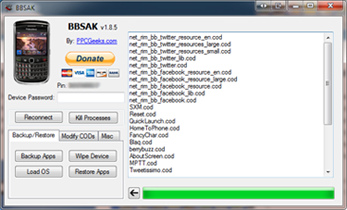
BBSAK v1.9.11

Posted by Zberry on 22 Mar 2012

BBSAK v1.9.1
Added Support for: Afrikaans, Croatian, Italian, Japanese, Simplified Chinese, Turkish, Vietnamese
3rd Party backup no longer includes Docs2Go, as it is included with all OS's
Fixed Bug with 64bit Windows, OS selector now works properly
Fixed Issue with Dutch Language Pack

Added in Language.txt file (will fix blank button error)
Reverted 3rd Party backup to include Docs2Go, for Docs2Go premium users

DOWNLOAD
More about → BBSAK v1.9.11

VNBBUtils v.2.0.4.1

Posted by Zberry

Key features:

- View information on the devices: Model, OS is used. Allows time synchronization with the computer and restart the computer from Blackberry.

- Remove IT Policy with a single mouse button (Factory Reset), remove the operating system to easily install the new OS to BB (Wipe Device) Support for the Blackberry operating system (OS Install) .

- Allows viewing and cleaning EventLog, clean up trash on the RAM and Flash memory of the Blackberry.

- View information on the entire software Blackbery: including system software (Core OS) and software to install the third party. Also allows backup and delete the software.

- Allow Backup of its application Tuesday with the 1 button (backup applications). And can reinstall the entire application with application recovery functions.

- Install the application from the JAD file or COD file (JAD file to install from would be better).

- Create a JAD file from COD file (and if there ALX file) & create ALX file from the JAD file Tags COD respectively.

- Capture current screen of the Blackberry, can save the file as PNG, JPG, BMP or copying to the Clipboard for easy paste (paste) into other applications such as Paint, Photoshop or Word, Outlook ... In addition, you can film the screen and save the file AVI BB, great for demos, guide ...

- Support for OTA download application from the link, this feature has been enhanced to be able to download the correct version of the software fit your Blackberry, you can download all the links are not directly to the JAD file as of mobihand ...

- Convert JAR to COD file for easy installation on Blackberry.

- Create Screen Engineering activation code.

- IP Modem function: supports only PCs with BDM from v5.0.0 or lower (for v5.0.1 and above from BDM IP Modem was available then).

- Quick Installation (Quick Install): this function helps to install the software from computer to BB too simple. No need to BDM, without opening vnbbUtils, BB just connected to the computer, open Windows Explorer, navigate to the folder containing the software and select the JAD file to install, right click and select Install (vnbbUtils). Without the JAD file, you can choose COD file and right click and select Install (vnbbUtils) (can select multiple files COD)

Requirements:

- Windows XP or higher

- BDM version you are, but should be used from v5.0.0 or higher.

Changed logs === ===
21/08/2011 - version 2.0.4.0
- Added support of the new BlackBerry
- Supports 64-bit Win
- Fixed some minor bugs

Change log
v2.0.4.1 – 28/08/2011
- Support latest BlackBerry 7
- Support Install multiple JAD files
- Support Win-64bits
- a little bug fixed.

DOWNLOAD
More about → VNBBUtils v.2.0.4.1

BBHTool (Public Version) 2.4.9.5 [Original Author : lyricidal]

Posted by Zberry

BBH Tool (Public Version) 2.4.9.5
Original Author : lyricidal
Original Source : http://www.bbh-plus.net/

Version: 2.4.9.5

I've updated BBHTool to v.2.4.9.5. Here is the change log:
- Added Install after completion to APK Converter (previously disabled)
- Added Install to connected device option to Create-A-JAD
- Added @BerryReview and @OpenSourceBB as Show Tweets options
- Added Delete Vendor.xml button to Start tab
- Added BlackBerry Mobile Conferencing shrink item
- Disabled shrinking of Latin font for OS7/7.1 as it was causing reboots (won't shrink even when checked)
- Fixed Screenshots for newer devices as well as uploading and tweeting screenshots
- Fixes to PlayBook tab and improved error handling
- Minor skin fixes
- New icon - thanks to @_Lucky45
- Optimized Screenshot uploading so BBHTool doesn't freeze while doing so
- Optimized and updated Vendor.xml removal
- Updated Android SDK link
- Updated shrink for Croatian (Languages) and T-Mobile Name ID

Features:
Shrink-A-OS
- Optimized Shrink-A-OS code/Put It Back features
- Live Shrink option to shrink an OS that has already been installed to device
- Updated Shrink with latest shrink options
- Select your Installed OS Folder from the Drop-Down list
- Save/load settings to/from file
- Tweet your Shrink results
- Displays shrink results: before, after, total modification

Create-A-JAD
- Drag .alx or .jad and info will be entered automatically (except .cod files)
- Create OTA (.jad), Desktop (.Alx), JavaLoader (.bat), or all of them
- Save creations and move .CODs straight to your OS folder (for easy Desktop install)
- Upload your OTAs (free hosting by me) (VIP ONLY)
- Zip up your install creations

OTA Downloader
- Download OTA links (.jad) and all .cods with it
- Convert .jad to .alx after download

Phone Tools
- Read/Save File System
- Install/Remove/Save .CODs
- Save All .CODs on device
- Read/Save/Clear Event Log
- Take Screenshot
- Sync time to PC
- Factory Reset
- Wipe Device

Other
- "Latest OS" and "Latest BBHybrids" buttons to show you the latest
- Launch Loader/BBSAK/BBMCP/DM buttons
- Options to auto-start on Shrink, C-A-J, or B-A-H, Phone Tools, Other tabs
- Automatically remembers your settings
- URL Shrinking (with custom name option)
- Shortening service choices: bb-h.me, tbz.me, l2s.cc, dcom.me
- Copy to clipboard and/or Tweet Shortened link after shortening
- @bbhybrids, @theiexplorers, @mattyg, @crackberry, @n4_bb Tweet pulls
- How-To/Help menu with instructions/info about each app

Build-A-Hybrid (Advanced Users) (VIP ONLY)
- Optimized Build-a-Hybrid code
- Only included 5.0 OSs
- Optimized Radio Swap code + more choices
- Various options to hybridize including: Bluetooth, Camera, GPS, Video Recorder, Plazmic and more
- File swapper w/ full java swapping feature


DOWLOAD
BBH Website
BZLink
Antihackerlink 
More about → BBHTool (Public Version) 2.4.9.5 [Original Author : lyricidal]